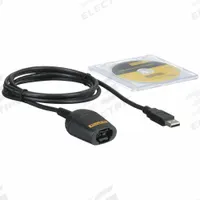
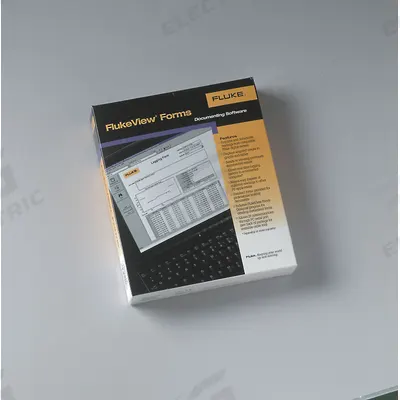
FLUKE Multimeter Software: 4 ft Cable Lg
The FLUKE FVF-SC2 is a multimeter software accessory designed for use with the Fluke 1653B multimeter. It features a 4 ft cable length and a USB/IR cable connection type for data transfer and analysis.
SKU 3G-OTH-170500
- 6–10 business days door-to-door; Bea Cukai clearance typically 3–5 business days.
- Invoicing in IDR or USD. Bank transfer and corporate PO accepted.
- Dikirim ke: Jakarta, Surabaya, Bandung, Medan, Batam
Butuh bantuan pemasangan atau rekayasa?
Ajukan pertanyaan
Deskripsi Produk
The FLUKE FVF-SC2 is a multimeter software accessory designed for use with the Fluke 1653B multimeter. It features a 4 ft cable length and a USB/IR cable connection type for data transfer and analysis.
Supplied to Indonesia — compatible with 50 Hz installations. DHL Express delivery to Jakarta, Surabaya, Bandung, customs and duties handled door-to-door.
Frequently Asked Questions
What is the FLUKE FVF-SC2 multimeter software used for?
The FLUKE FVF-SC2 is a software accessory that enables data transfer and analysis from a Fluke 1653B multimeter to a computer. It is used by electricians and technicians for logging, reviewing, and reporting electrical measurements, supporting troubleshooting and compliance documentation in industrial and commercial settings.
What are the specifications of the FLUKE FVF-SC2?
The FLUKE FVF-SC2 is a software accessory with a 4 ft cable length and USB/IR cable connection type. It is compatible with the Fluke 1653B multimeter. The manufacturer part number is FVF-SC2, and the brand is FLUKE. It is designed for data transfer and analysis of multimeter readings.
Where to buy the FLUKE FVF-SC2 worldwide?
You can source the FLUKE FVF-SC2 through 3G Electric, a global industrial equipment distributor established in 1990. We handle full logistics, customs clearance, and delivery to worldwide destinations. Contact us for availability and lead time; we supply this Fluke software accessory to procurement teams globally.
How to install the FLUKE FVF-SC2 software?
To install the FLUKE FVF-SC2, connect the 4 ft cable's USB end to your computer and the IR end to the Fluke 1653B multimeter. Install the included software from the CD or download from Fluke's support site. Follow on-screen prompts to complete setup. Ensure the multimeter is powered on for data synchronization.
Digunakan dalam
Aplikasi umum untuk FLUKEFLUKE Produk
3G Electric memasok FLUKE multimeter software. Kami menyediakan produk asli dengan ketersediaan tersedia di gudang untuk SKU umum, dokumentasi teknis, dukungan commissioning, dan layanan garansi — di seluruh dunia.